
Most social media posts die in a day.
A good pin can keep sending visitors to your blog for months, sometimes years.
That's because Pinterest isn't really social media. It's a visual search engine, and people go there looking for ideas to try, buy and read about. Here's how to turn it into a steady source of blog traffic in 2026.
Why Pinterest Is Great for Bloggers
- People come to plan. Pinterest users are searching for recipes, outfits, home ideas, business tips and more. They want to click through and learn.
- Pins last. A blog post on Pinterest can keep showing up in search long after you publish it.
- It sends people to websites. Unlike many apps, Pinterest is happy to send users off to your site.
- Less competition. Many bloggers focus only on Google and ignore Pinterest, which leaves room for you.
Pinterest has more than half a billion monthly users, according to the company's own reports. Even a tiny slice of that can make a real difference to a small blog.
Pinterest vs Other Platforms for Blog Traffic
| Instagram and TikTok | Google Search | ||
|---|---|---|---|
| How long a post lasts | Months or years | A day or two | Years |
| Clicks to your site | Easy, every pin can link | Hard, few links allowed | Easy |
| Time to see results | Weeks | Instant but short | Months |
| Competition | Moderate | High | Very high |
Which Blogs Do Best on Pinterest?
Almost any blog can get Pinterest traffic, but some topics are a natural fit because people plan them visually.
| Niche | Why It Works |
|---|---|
| Food and recipes | People save recipes to cook later |
| Home and DIY | Room ideas and projects are very visual |
| Fashion and beauty | Outfits and looks are made for pins |
| Travel | Trip planning starts with inspiration |
| Parenting and family | Activity ideas, printables and tips get saved a lot |
| Personal finance | Budget templates and money tips get shared widely |
| Business and blogging | Checklists, guides and how-tos do well |
Not on the list? Don't worry. If your posts teach something or help people plan, there's an audience on Pinterest.
Step 1. Set Up a Pinterest Business Account
A business account is free and gives you analytics, ads and rich pins.
Convert your personal account or create a new one. Then claim your website, so Pinterest knows your blog belongs to you. Claimed sites get your profile picture on every pin from your blog, and you can see stats for all of them.
Fill in your profile properly. Use a clear photo or logo, a name that includes what you write about, and a short bio with your main keywords.
Step 2. Find the Keywords People Search For
Pinterest is a search engine, so keywords decide who finds your pins.
Start typing a topic into the Pinterest search bar. The suggestions that pop up are real searches. The coloured tags under the search bar show related ideas too.
Pinterest Trends is another free tool worth using. It shows what people are searching for and when interest peaks, which is perfect for seasonal posts like holiday recipes or summer outfits.
Make a simple list of keywords for each blog post. You'll use them everywhere.
Step 3. Create Boards Around Your Topics
Boards are like folders. They help Pinterest understand what you're about.
Create a board for each main topic on your blog. Give each one a clear, keyword-rich name, like "Easy Vegan Dinner Recipes" instead of "Yum". Add a short description using your keywords.
Five to ten focused boards are a good start. You can always add more.
Step 4. Design Pins That Get Clicked
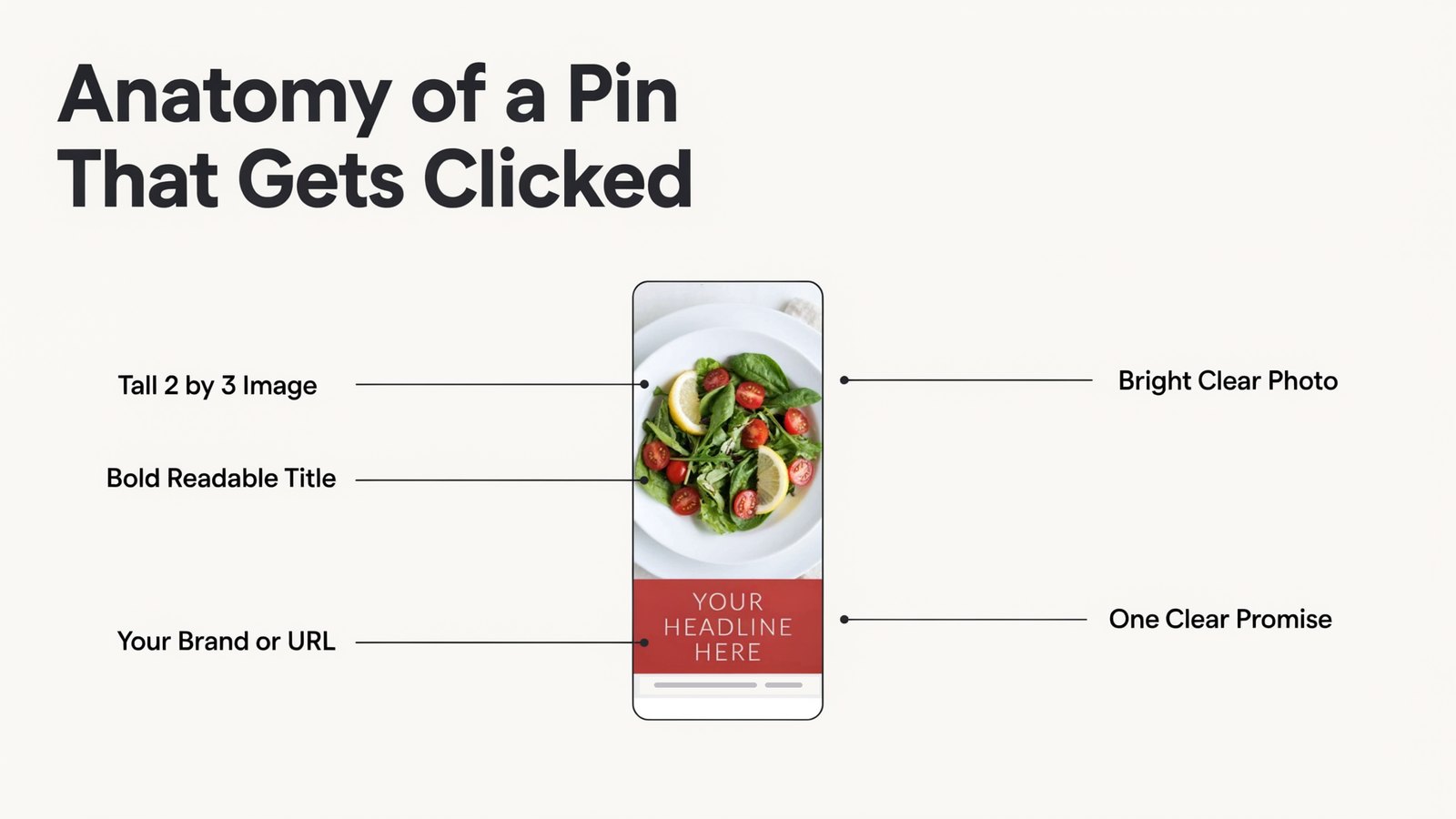
- Go tall. A 2 by 3 shape, like 1000 by 1500 pixels, looks best in the feed.
- Add a bold title. Big, easy-to-read text that tells people what they'll get.
- Use bright, clear images. Light, sharp photos stand out more than dark ones.
- Brand it lightly. Add your logo or blog name in a corner.
- Make one clear promise. "7 Easy Meal Prep Ideas" beats a vague headline.
- Keep it fresh. Pinterest favours new images, so make several pin designs for each post.
You don't need to be a designer. Simple templates and AI tools make good pins in minutes.
Step 5. Write Titles and Descriptions for Search
Every pin has a title and a description. Both are read by Pinterest search.
Put your main keyword in the title. Write the description like a friendly sentence or two that explains what the reader will learn, with a few related keywords mixed in naturally. Skip hashtag piles. They don't help much anymore.
And always add your blog post link. That's the whole point.
Here's an example for a blog post about meal prep.
- Title. Easy Meal Prep Ideas for Busy Weeknights
- Description. Save time all week with these simple meal prep ideas. Healthy lunches and dinners you can make in one hour on Sunday, with a free shopping list.
Clear, helpful and full of words people actually search for.
Step 6. Turn On Rich Pins
Rich pins pull extra details from your blog, like the post title and description, and keep them up to date automatically.
Most blog platforms already include the right tags. Once your site is claimed, rich pins usually work on their own. They make your pins look more trustworthy and can lift clicks.
Step 7. Add Video Pins
Video catches the eye in a feed full of photos. A short clip showing a recipe being made or a quick tip in action can get more attention than a still image.
Keep it short, add text on screen, and link it to your blog post just like a normal pin.
Step 8. Pin Consistently
Pinterest rewards accounts that show up regularly. A few fresh pins every day beats fifty pins once a month.
Spread your pins out. Share new pins for new posts, and make fresh pin designs for older posts too. Pin to the most relevant board first.
This is the part most bloggers give up on, because it takes time every single day.
Plan Ahead for Seasons
Pinterest users plan early. People start searching for holiday ideas, back-to-school tips and summer recipes weeks or even months ahead.
So pin seasonal content early too. Pinning Christmas posts in October or summer posts in spring gives your pins time to get picked up before the big rush. Pinterest Trends shows you exactly when searches for each topic start to rise.
Give Old Posts New Life
Your best older blog posts are a goldmine on Pinterest.
Make two or three new pin designs for each of them, with different images and headlines. Pinterest treats each new image as fresh content, so an old post can find a whole new audience. This is one of the fastest ways to grow, because the blog content already exists.
Step 9. Track What Works
Open Pinterest Analytics every week or two. Look at outbound clicks, not just impressions. Clicks are the visitors who actually reach your blog.
Find your top pins, then make more like them. Same topics, similar designs, new images.
Also check Google Analytics or your blog stats to see which posts get Pinterest visitors and how long they stay.
A Simple 15-Minute Daily Routine
- 5 minutes. Pin one or two fresh designs for your blog posts.
- 5 minutes. Save a few great pins from others in your niche to your boards.
- 5 minutes. Check which pins got clicks this week and note ideas for new designs.
Fifteen minutes a day is enough to grow, as long as you keep it up. The bloggers who win on Pinterest aren't the most creative. They're the most consistent.
Common Pinterest Mistakes
- Pinning only other people's content and never your own
- Using square or wide images that look small in the feed
- Vague board names that Pinterest can't understand
- Pinning in big bursts, then disappearing for weeks
- Forgetting to add your blog link to the pin
- Giving up after a month, before pins have time to grow
How Long Does Pinterest Take to Work?
Pinterest is a slow burn. Most bloggers see small results in the first month and real growth after three to six months of steady pinning.
The good news is that the work adds up. Pins you make today can still be sending traffic next year.
Put Pinterest on Autopilot With Pinflux
Steps 4, 5 and 8 take the most time. Writing pin titles. Making images. Pinning every day without fail.
That's exactly what we built Pinflux to handle. It's our own Pinterest automation app at Teknikforce.
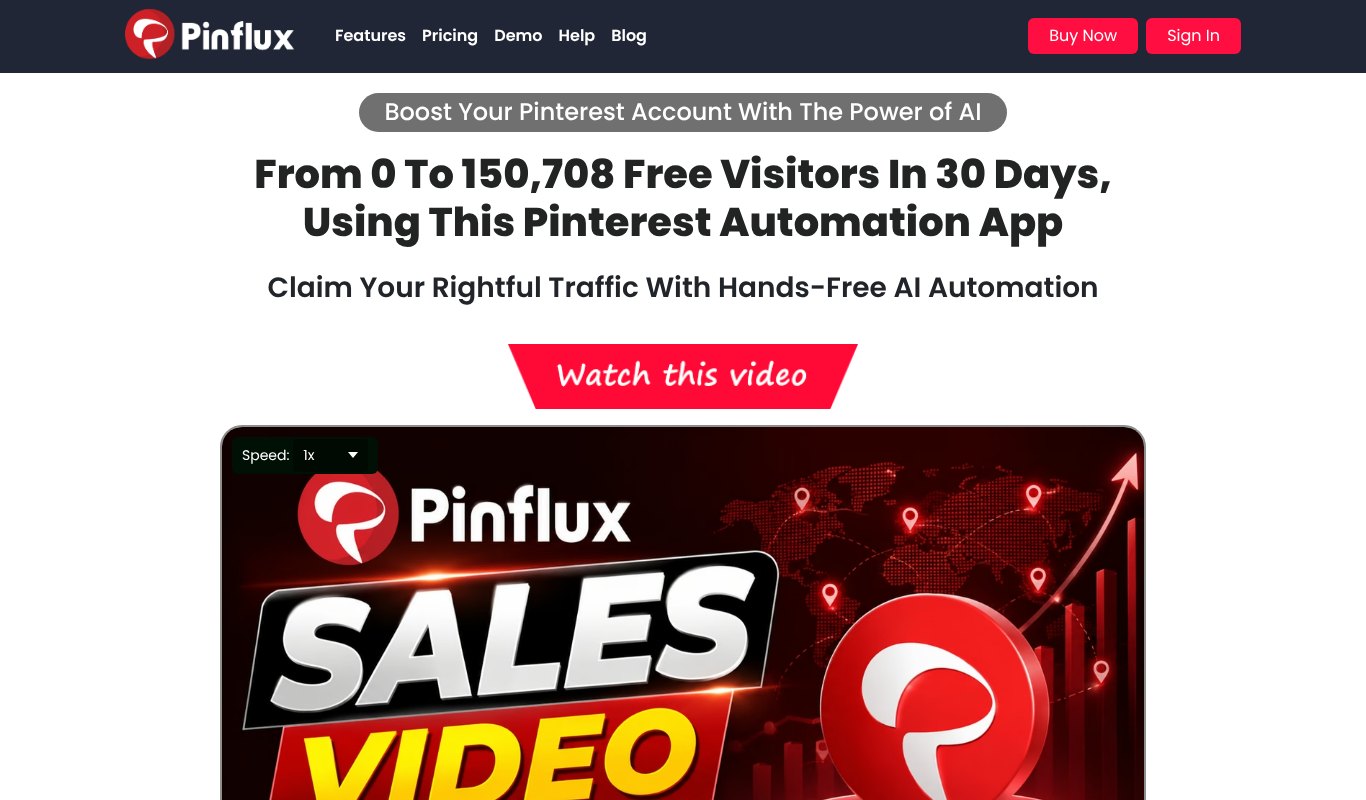
Connect your Pinterest accounts and boards, add a few keywords for your niche, and set your schedule. Pinflux writes a fresh, unique title and description for every pin with AI, creates images if you need them, and spaces your posts out naturally across boards and accounts.
- AI writes every pin title and description
- AI creates pin images for you
- Natural, spaced-out posting across boards and accounts
- Add your own blog links and calls to action
- Find and repin quality content in your niche
- Runs on your own Windows or Mac computer with your own Pinterest API key
- A full activity report of everything it did
Pricing $5.58 a month, paid yearly ($67 a year), or $6.99 month to month. There's a free version to try, and every paid plan has a 30-day money-back guarantee.
Quick Pinterest Checklist
- Business account set up and website claimed
- Keyword list for each blog post
- Five to ten keyword-rich boards
- Tall pins with bold titles
- Keyword-rich pin titles and descriptions
- Rich pins working
- A few fresh pins every day
- Analytics checked every couple of weeks
Final Thoughts
Pinterest is one of the most underrated traffic sources for bloggers. It's free, it lasts, and people on it actually want to click.
Set up your account, learn your keywords, make tall, bold pins and show up every day. Give it a few months and watch your blog traffic climb.
And if pinning every day sounds like too much, let Pinflux do it for you.
FAQs About Pinterest Blog Traffic
Is Pinterest still good for blog traffic in 2026?
Yes. Pinterest is still one of the few big platforms that happily sends people to websites, and pins keep working for months.
How many pins should I post a day?
Quality and consistency matter more than a magic number. A few fresh pins every day is a great target for most bloggers.
Can I make multiple pins for the same blog post?
Yes, and you should. Different images and titles reach different people and give Pinterest fresh content to show.
Do I need Pinterest ads to get traffic?
No. Most bloggers get plenty of traffic for free. Ads can help boost your best pins once you know what works.
Should I use group boards?
Group boards matter much less than they used to. Focus on your own well-named boards and fresh pins, which is what Pinterest rewards most today.
Why are my pins getting views but no clicks?
Usually the pin shows the whole answer, so nobody needs to click. Make your headline promise something the blog post delivers, like a full list, a free printable or step-by-step instructions, and make sure the image matches the post.
Can I use Pinterest for an affiliate or product blog?
Yes. Pinterest works well for gift guides, product roundups and reviews. Just follow Pinterest's rules on affiliate links and always tell readers when a link is an affiliate link.